
Does Cookout Take Apple Pay? Drive-Thru, Tap to Pay and Payment Options
Does Cookout take Apple Pay when you order from the Cookout menu? Yes. You can tap your iPhone or Apple Watch at the drive-thru window and at the counter. In February 2025, Cookout said on Instagram that it accepts tap to pay, including Apple Pay, Google Pay, and Samsung Pay. A few older stores may still have reader trouble, so it helps to carry a backup. Below, you will see how to pay, how to check your store, and what to do if the tap fails.
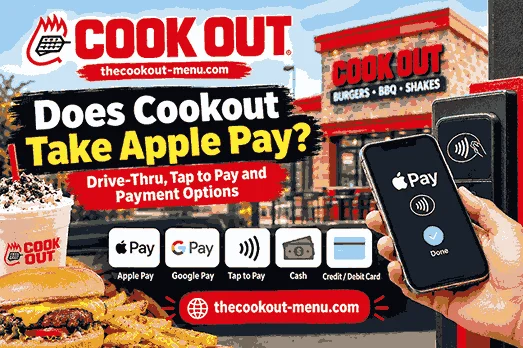
Does Cookout Take Apple Pay? The Short Answer
Yes. Cookout accepts Apple Pay and other tap to pay wallets at its restaurants. That covers both the drive-thru and the counter. Newer stores got the update first, and some older stores were slower to fix their card readers.
Apple Pay is a mobile wallet. It stores your debit or credit card on your phone or watch, so you can pay without pulling out the card. If your store’s reader acts up, a physical card or cash works fine as a backup.
Apple Pay at the Cookout Drive-Thru
You can use Apple Pay at the Cookout drive-thru. Place your order at the speaker, then pull up to the pay window. When the cashier gives you the total, hold your iPhone or Apple Watch near the card reader.
Get your phone ready before you reach the window. Wake the screen and open your wallet while you wait in line. That keeps the line moving and saves you from fumbling at the window.
If you drive a tall truck or the reader sits far from your door, an Apple Watch can make this easier. You only need to lift your wrist toward the reader.
Apple Pay at the Counter and Inside
Inside the restaurant, you pay at the register or the counter after you order. The steps are the same as at any store with a tap reader. Hold your phone or watch near the reader until you see the checkmark.
Most people use this when they grab a tray, a burger, or a milkshake and want to leave fast. It also works for big group orders, since you can tap once and be done.
How to Pay With Your iPhone
- Double-click the side button to open your wallet.
- Look at the screen and use Face ID, Touch ID, or your passcode.
- Hold the top of your iPhone near the card reader.
- Wait for the checkmark and the word “Done.”
How to Pay With Apple Watch
- Double-click the side button on your watch.
- Pick the card you want to use.
- Hold the watch face toward the reader.
- Feel the small tap on your wrist, which means the payment went through.
You need to add a card to Apple Wallet before your trip. Do this at home, not in the drive-thru line.
Does Every Cookout Location Take Apple Pay?
Cookout’s February 2025 message said tap to pay is available at all locations. Customers still report some differences from store to store, so it is smart to stay flexible.
People in a Cookout fan group on Reddit said the answer can depend on the location. One person said most newer stores take it, while some older ones had not updated yet. On Facebook, some customers said they were glad to finally tap, because their cards had caused trouble at the window before. Another person said they were told a store’s chip reader was not working.
That mix tells you something useful. Apple Pay is now part of how Cookout works, but one store with a bad reader can still ruin your tap.
How to Check Before You Go
Here are quick ways to check your store:
Does Cookout Take Google Pay, Samsung Pay, and Tap to Pay?
Yes. Cookout’s tap to pay setup works with Google Pay and Samsung Pay too. “Tap to pay” just means paying by holding a phone, watch, or contactless card near a reader.
Google Pay works on Android phones with NFC, which is the chip that lets your phone talk to a reader. Samsung Pay works on Samsung phones. The steps match Apple Pay: wake your phone, unlock it, hold it near the reader, and wait for the confirmation.
If your debit or credit card has the contactless symbol, you can often tap the card itself. That works even if you do not use a phone wallet.
Cookout Payment Methods at a Glance
This table covers the ways you can pay at Cookout.
| Payment method | Accepted at Cookout? | Notes |
| Apple Pay | Yes | Works with iPhone and Apple Watch |
| Google Pay | Yes | Needs an NFC Android phone |
| Samsung Pay | Yes | Works on Samsung phones |
| Visa, Mastercard, Discover | Yes | Chip, swipe, or tap |
| American Express | Varies | Confirm at your store |
| Cash | Yes | Works at every location |
Cash is still the easiest fallback. It does not depend on a reader, a network, or a phone battery.
Does Cookout Take Amex?
It depends on the store. Reports say many locations take American Express, but some franchises do not, and sources disagree. If you plan to use an Amex card, ask the cashier before you order.
This also affects Apple Pay. If your Amex card is saved in Apple Wallet, the store still has to accept Amex for the payment to go through. If it does not work, switch to another card in your wallet.
What Cookout Customers Say About Apple Pay
Real customer comments show what people care about most. They fall into three groups.
People with no cash. One parent asked on Reddit if a kid who only had Apple Pay could pay at Cookout. The replies said yes, and one said it can depend on the store.
People who had card problems. Some Facebook users said they used to have trouble with their cards at Cookout. They were happy that tap to pay gave them another way to pay.
People who ran into a bad reader. One customer said an employee told them the chip reader was not working. This is why a backup card is a good idea.
Many comments sound like relief. People wanted this option for a while, and now they have it.
What to Do If Apple Pay Does Not Work at Cookout
A failed tap is usually easy to fix. Try these steps in order:
- Move your phone closer to the reader and hold it still for a few seconds.
- Make sure Face ID, Touch ID, or your passcode went through.
- Check that your phone has signal or Wi-Fi.
- Try a different card in your wallet.
- Tell the cashier the reader may be down and ask them to try again.
- Pay with a physical card or cash.
If You Only Have Apple Pay and No Cash
This is a common worry, especially for teens and parents. If your phone is the only way you can pay, use the steps above and check the reader before you order. Add a debit card or prepaid card to Apple Wallet at home first. If the reader fails, you may need to leave without your food, so a small amount of cash in your pocket helps.
FAQs About Apple Pay at Cookout
Does Cookout take Apple Pay at the drive-thru?
Yes. Hold your iPhone or Apple Watch near the reader at the pay window. Have your phone ready before you pull up.
Does every Cookout accept Apple Pay?
Cookout said it takes tap to pay at all locations. Some customers still report older stores with reader problems, so check for the contactless symbol or ask the cashier.
Does Cookout take tap to pay?
Yes. Tap to pay works with Apple Pay, Google Pay, Samsung Pay, and contactless cards.
Does Cookout take American Express?
It can vary by store. Ask at the window before you order, and keep another card ready.
Does Cookout have an app?
Cookout is best known for counter and drive-thru orders. Check the official Cookout website for the latest ordering options before you count on an app.
Is there a fee for using Apple Pay at Cookout?
Apple Pay does not charge you a fee. Your bank or card issuer sets its own terms, so check with them if you have questions.
Pay Your Way on Your Next Cookout Run
So, does Cookout take Apple Pay? Yes, and it works with anything you pick from the Cookout menu, from trays to milkshakes. You can tap at the drive-thru or at the counter with your iPhone or Apple Watch.
Look for the contactless symbol, set up your wallet before you leave home, and keep a card or some cash as a backup. With those three steps, your order should go smoothly, and you can get back to enjoying your meal.